Principles
Built to grow with your committee
Repeatable
Workflow stays consistent across all cases and visits.
Every case follows the same path — intake, routing, visit logging, closure — whichever member opens it, and the forms and agendas come already structured. One case’s record looks like the next one’s, so a new member learns one way of working rather than each member’s.
Scalable
All members can use the platform at no additional cost.
There is no charge per person, so every HLC member, every assistant and every PVG volunteer gets their own account. A committee never has to decide who is worth a seat, or work around people sharing one login.
Shareable
All privileges are delegable, avoiding bottlenecks.
Any coordinator responsibility — members, notifications, the doctors list, rooming, presentations — can be granted to another member individually and taken back later. Work does not stop because the one person who can do it is away.
Future-proof
Committee members have control over data management and workflow within their own HLC.
Control does not sit with only members who have technical ability. Roles, privileges and record handling are all managed in-app by the committee, and the security around that data — encryption, access limits, automatic off-site backups — runs on its own.
Customizable
Feature expansions are not limited to a third-party build platform.
The app is purpose-built rather than assembled inside someone else’s tool, so there is no ceiling set by what that tool happens to support. A new direction from the branch office, or something a committee asks for, can be built into it directly.
Pre-loaded
Limited manual data entry.
Get started with Barnaby quickly with a huge time-saver: Using just the ZIP codes your committee covers, every hospital, physician and congregation in your coverage area is loaded automatically into your committee's domain, including addresses, phone numbers and meeting times. You never need to build a facility list, doctor directory, or congregation list manually.
Getting started
Three simple onboarding steps
Tell us about your committee
Its name, who will administer it, and the ZIP codes it covers. That one list is all it takes to build your hospital, doctor and congregation lists.
We set it up
Your committee gets its own web address and its own private space. From your ZIP codes we load every hospital, physician and congregation in your territory, with addresses, phone numbers and meeting times, before the entire committee onboards. Nobody on your committee has to enter or manually type any of this in.
Bring your members and your history
Invite your members and import your existing roster and case history from a spreadsheet. There is nothing to install — it can be added to a phone’s home screen like an app.
Request onboarding
Tell us about your committee
We will come back to you about setting it up. Nothing is committed by asking.
Try it yourself
Spend a few minutes with a practice committee
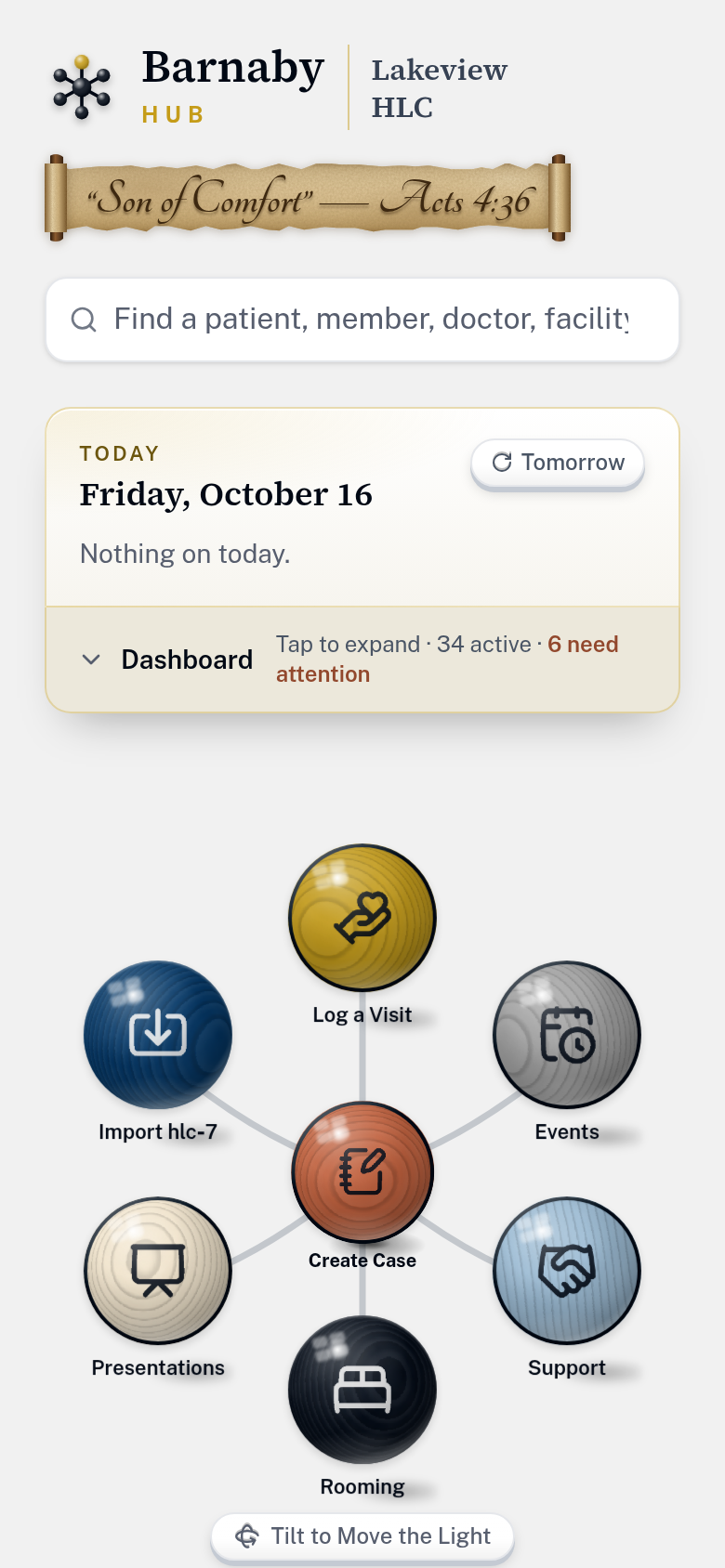
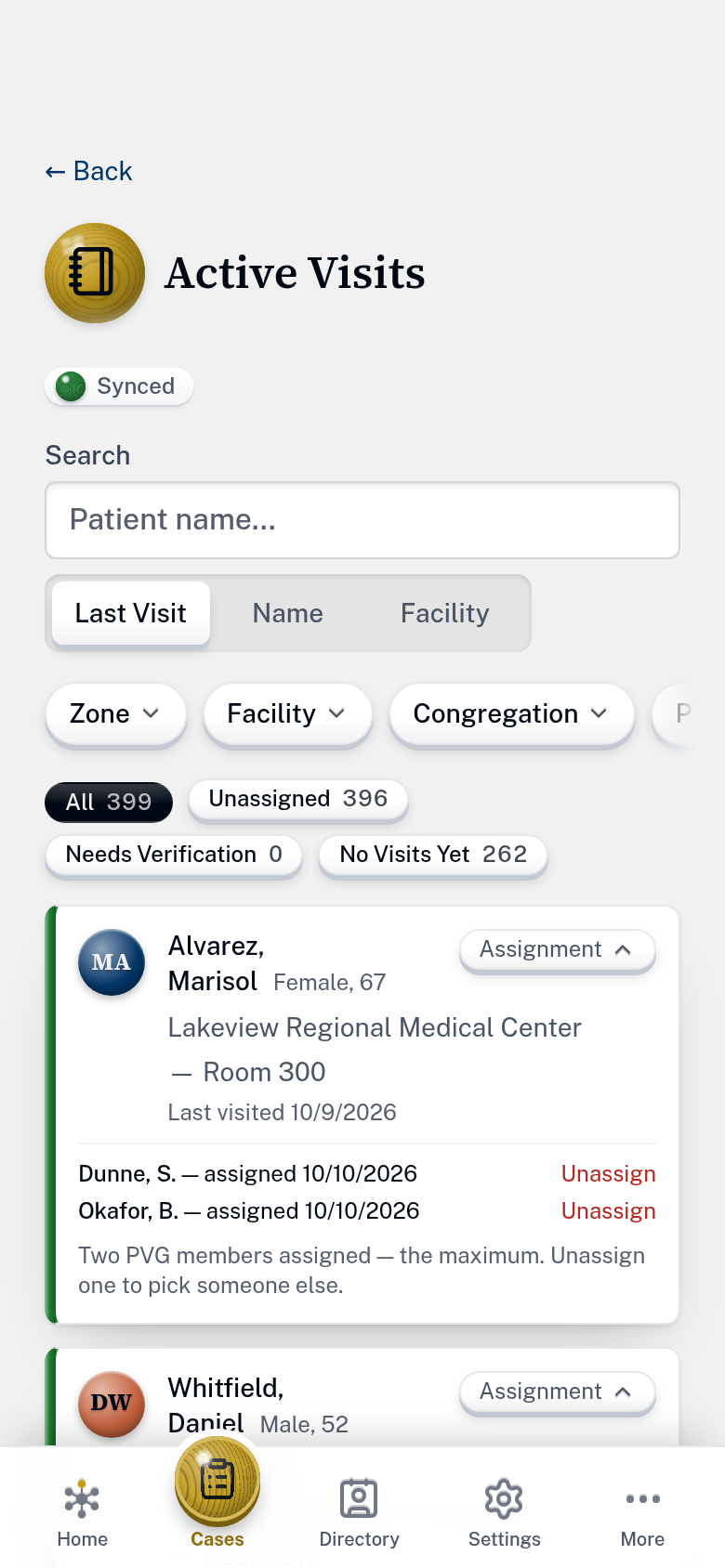
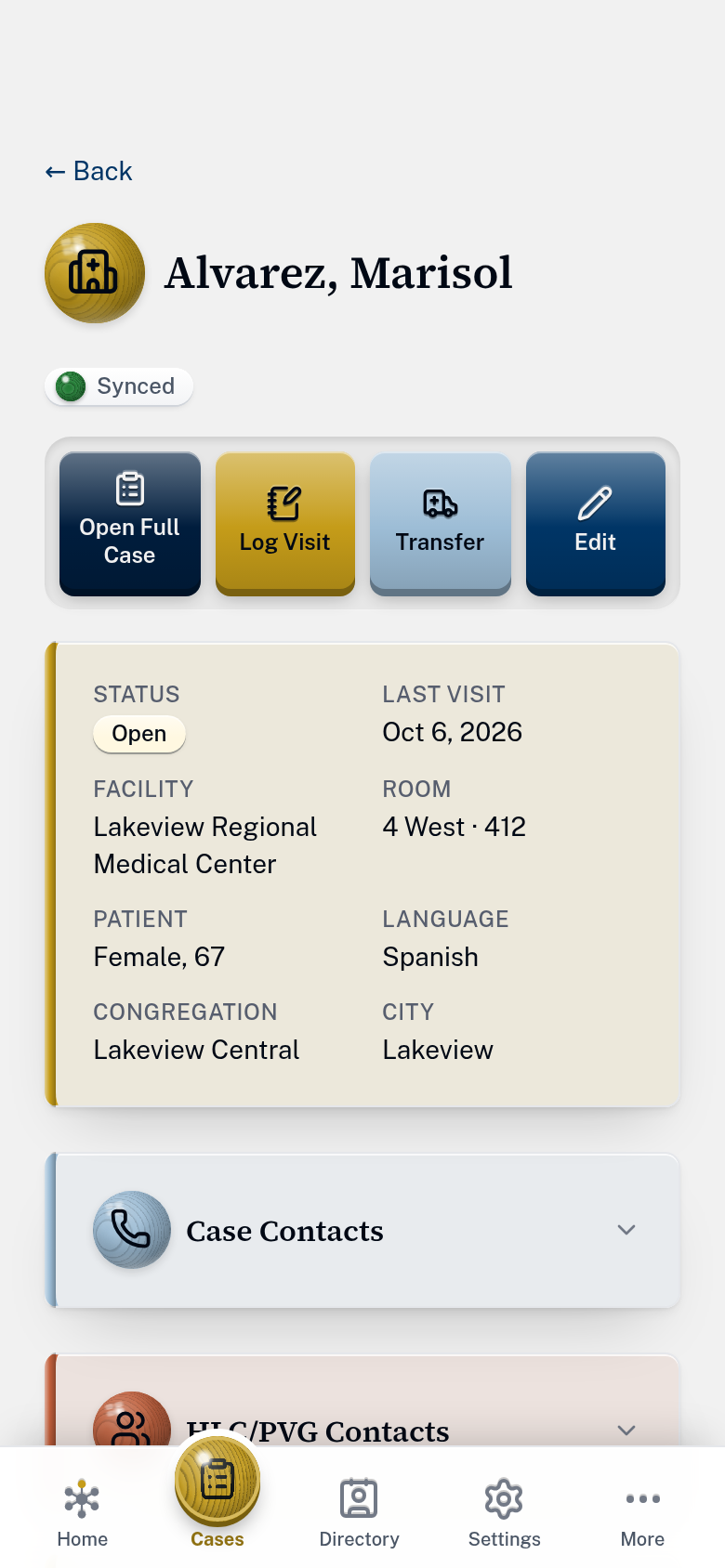
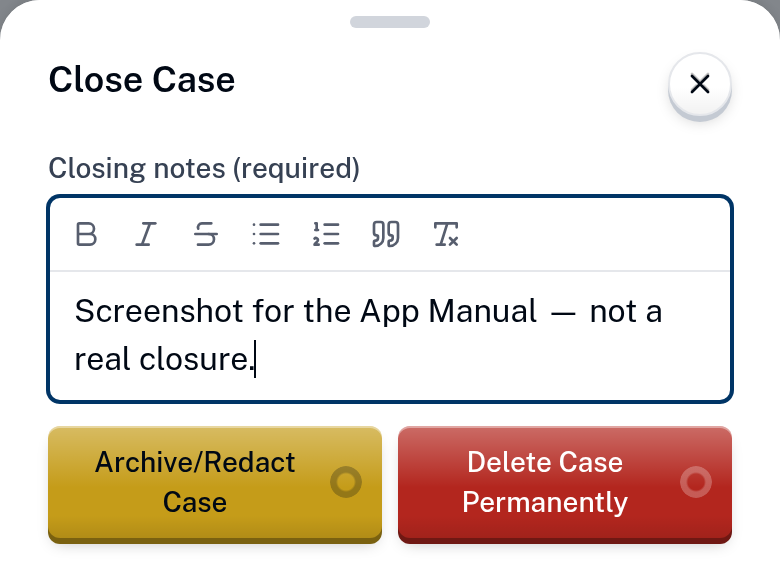
Create Case sits in the middle of the home screen.
Lakeview HLC is made up, so nothing you do there can matter. Here is a good first lap.
or

Scan to open it on your phone
Committee use
All the work, in one place
Intake & transfer
Taking a call
A case starts as the call comes in: patient, congregation, facility, doctor, urgency. Or import a received hlc-7 form — fillable or flattened, and from another committee's software as readily as our own — to create a case with no manual entry.
Everything after that is recorded against the case — so the history of a case is the case, not something reconstructed from memory afterward.
On transfer, a case can be exported as a filled-in hlc-7 — the real form, as a PDF, ready to send to the receiving committee. Nobody retypes what is already recorded.
Drag this hlc-7 onto the phone, or tap it.
New Case
Visits
Getting someone to the bedside
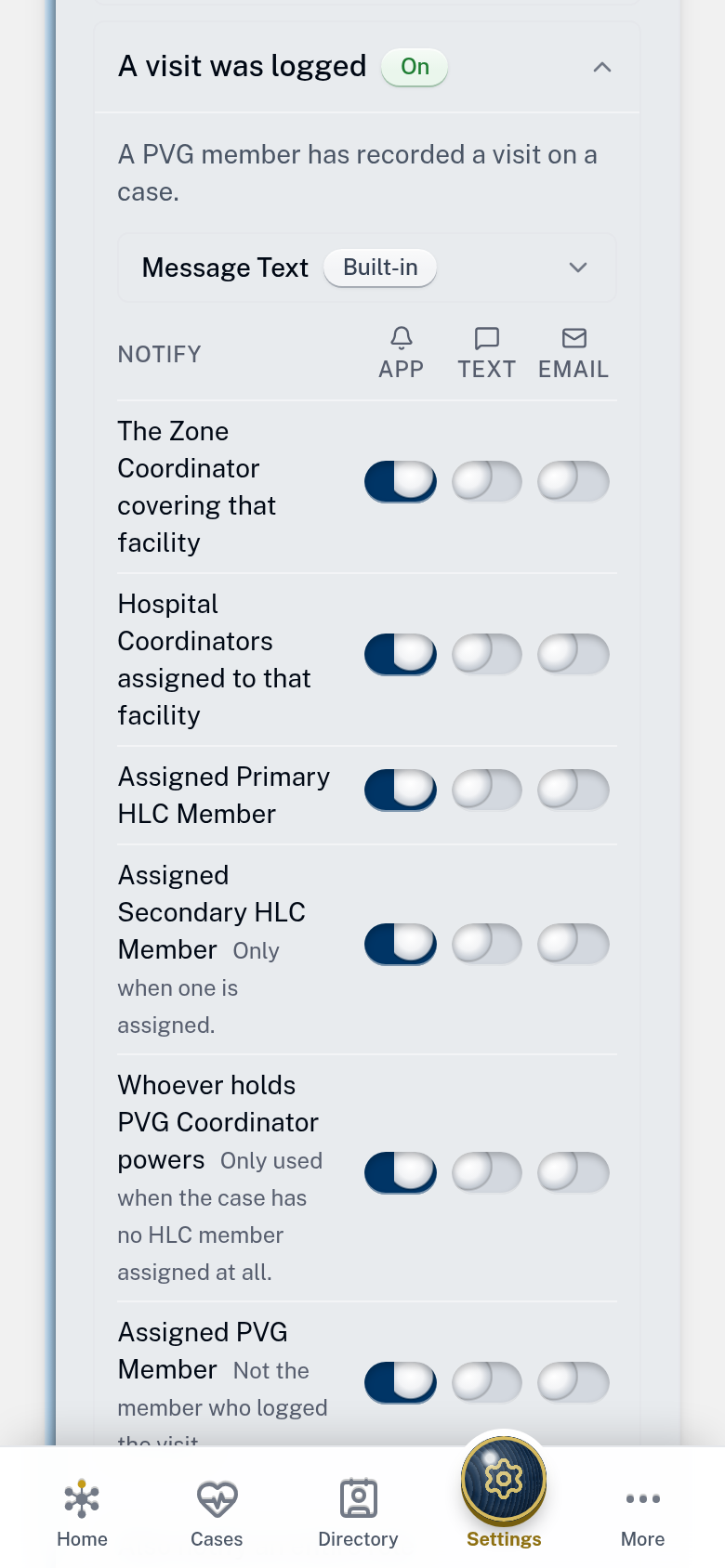
Route a case to a facility and the assigned PVG volunteers responsible for it are notified. A PVG member assigned to visit sees who the patient is and how to find them — name, age, language, congregation, hospital and room — and logs the visit from anywhere, even in a location without cell coverage.
PVG is treated as a group in its own right: its own zones, its own hospital coverage, and its own visit log. Coordinators put volunteers on the cases at the facilities they cover, and a volunteer who sees a case still short of visitors can step in themselves. A PVG member sees the cases they have been asked to visit. Confidential case details are not simply hidden from their screen — they are never sent to their phone in the first place.
Anyone attached to a case can be called or texted from the case itself — the patient, the caller, the elder, a healthcare agent, the room, the assigned HLC member, the PVG volunteer at the bedside — each one named, so nobody is hunting through a phone for the right number at the wrong moment.
When a case comes from a hospital rather than from the family — a chaplain mentioning a Witness patient — whoever creates it can flag that nobody has verified the situation yet. The warning travels to the visit screen, so the volunteer walking in knows to check first.
Doctors
The right doctor
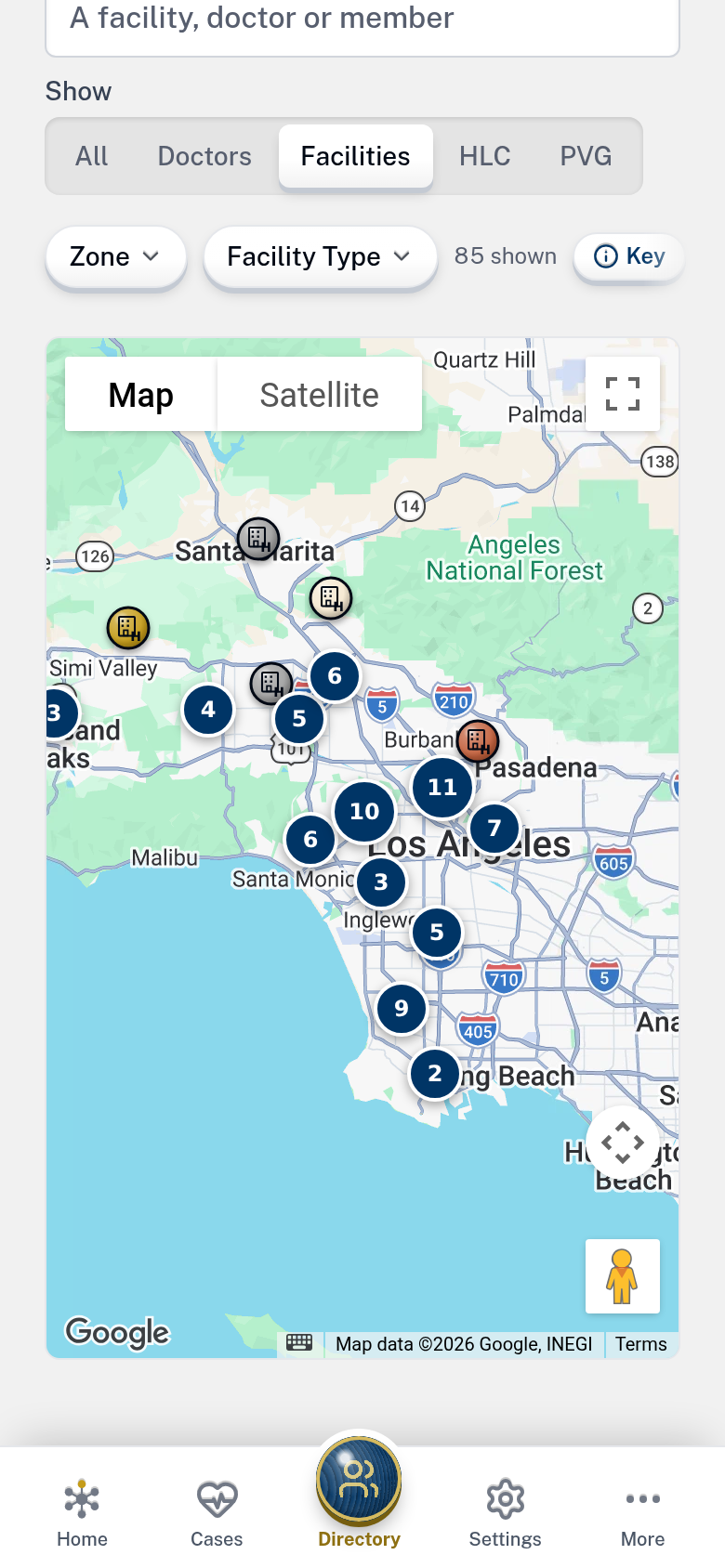
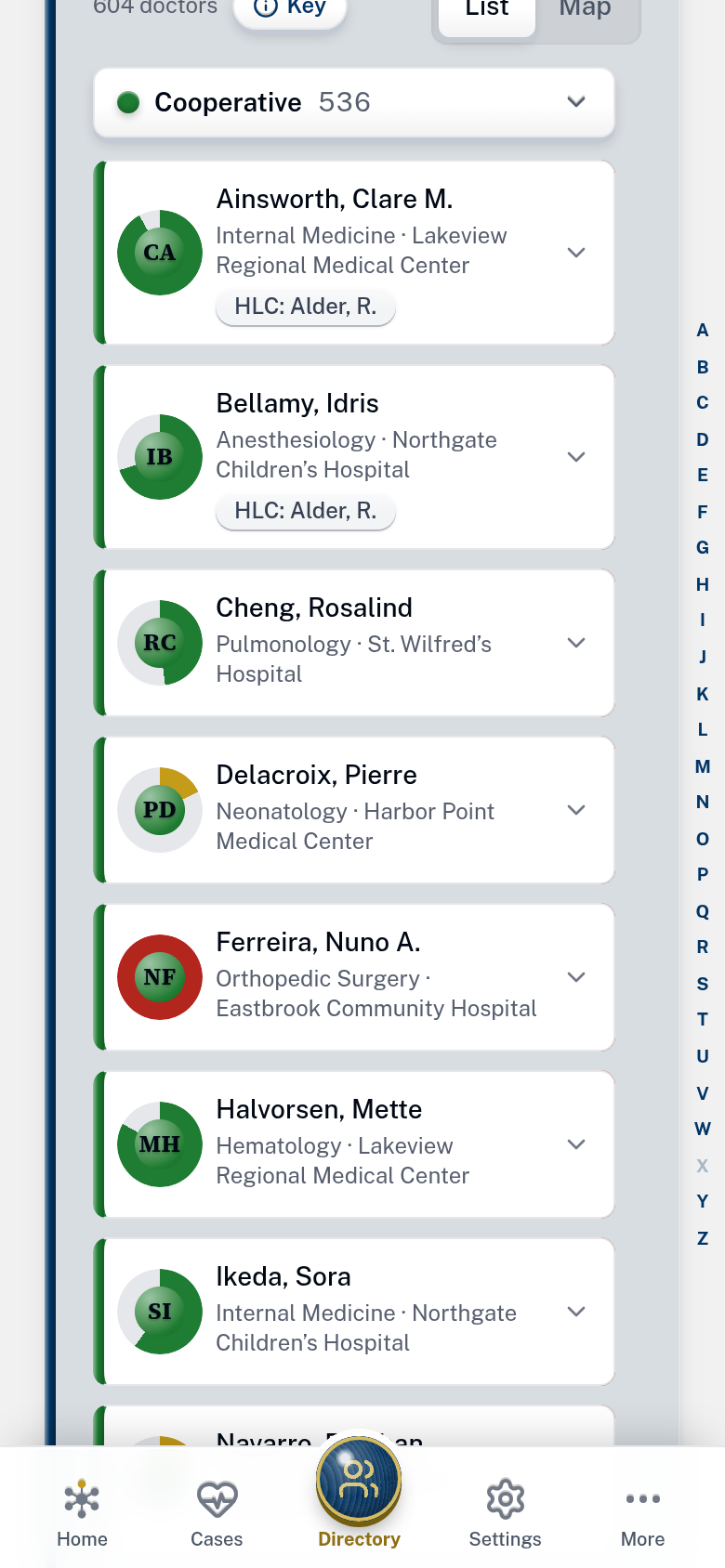
The CDL holds your committee’s own vetted list — their status, who last checked, and when. Underneath it sits every physician practicing in your territory, loaded from the national provider register on day one. That’s thousands of names, addresses and phone numbers nobody on your committee has to manually type. What your committee writes about a provider in the CDL stays yours.
When someone asks for a cooperative doctor, six fields go out by text or email in a couple of taps — name, specialty, sub-specialty, medical group, address, office phone. The committee’s own judgment about that doctor stays in the app.
Presentations
Reaching medical staff
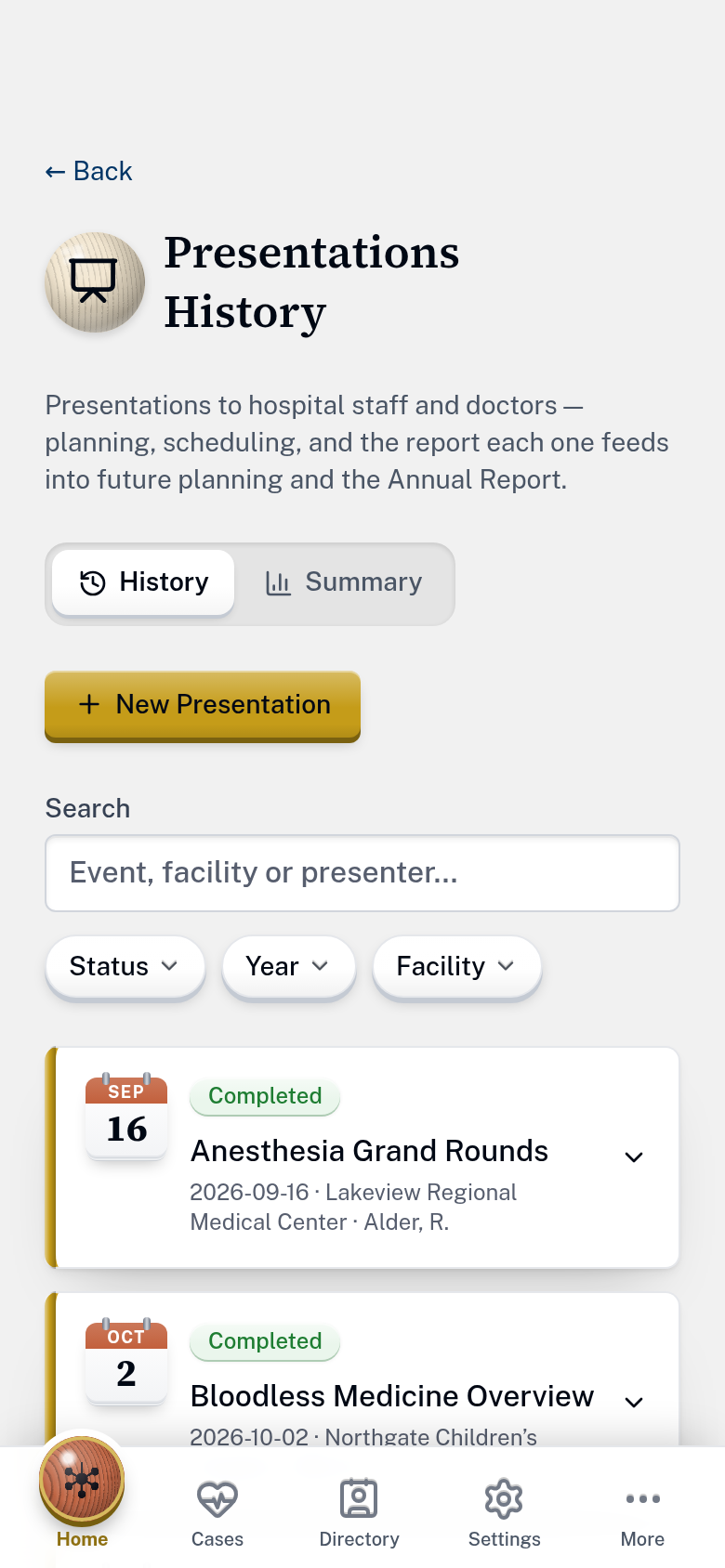
Any member can submit a presentation they have given or been asked to give. When the Presentations Coordinator approves the record, it is added to the history of what the committee has presented. A presentations summary report can be generated by year at any time.
Continuing-education (CME) presentations are marked as such, and members qualified to deliver them are flagged on the roster. Finding the right presenter for a facility is a filter, not a round of phone calls.
Records
Keeping the committee’s records
Rooming requests, events, the annual report and a shared document library — the record-keeping the guidelines describe, in the app rather than in a drawer or a spreadsheet on one person’s laptop. Upon a case’s completion, it can be easily redacted for future training use — and once closed, it is locked against further change.
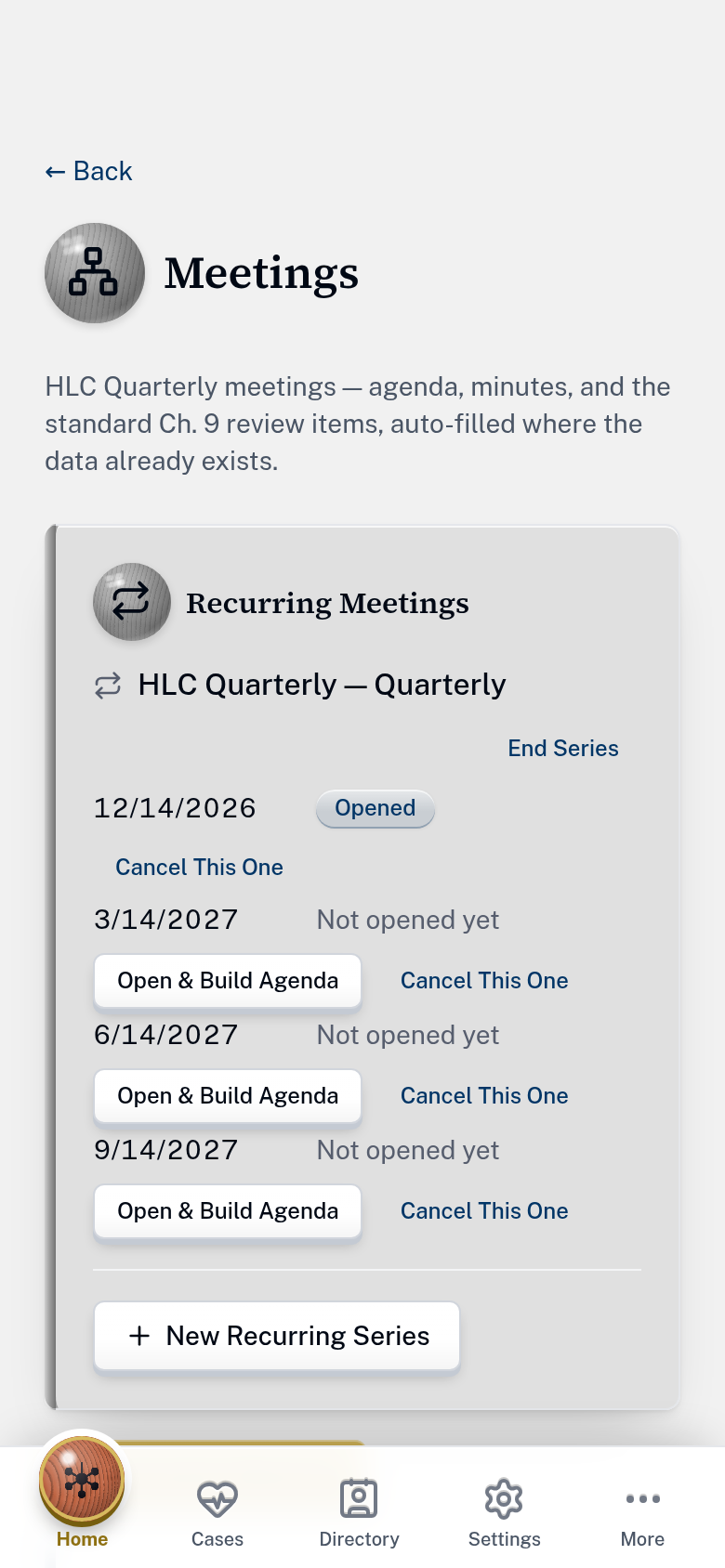
Meetings sit here too: a quarterly meeting opens with the standard seven-item agenda already part-filled from your own records, and a standing meeting can be set to repeat.
Each kind of record is kept for the period the guidelines set for it, and no longer. The app applies those periods itself, removing what is past its date without anyone having to remember to.
Right now
Running, backed up, and tested
What it costs
Every committee can use it, for whatever they can give
Supported by voluntary contributions, not per-user fees. No license to buy, and no charge per person, however many members your committee has.
The same set of features is provided to all, regardless of contribution amount.
What contributions keep running
Find what you need
Search Barnaby's features
Use on any device
It goes on the home screen like any app
No app store
Add it to your home screen
There is nothing to download from an app store. Open your committee's own address once, add it to the home screen, and from then on it opens full-screen from its own icon, like any other app.
It works the same on an iPhone or an Android phone, and on a tablet or computer it simply runs in the browser.
Barnaby Hub
Lakeview HLC · Sign In
Common Use
See what matters, quickly
What needs you today
The day on top, the committee's position underneath, every number a link.
Readiness
Fix gaps early
The things that quietly go stale between cases, surfaced before they matter.
Standing checks
Coverage
Which facilities have assigned coverage and which do not, and who covers which facilities.
Contact details
Members confirm their own email, phone, address and congregation every few months — so a number is not found to be three years old at the moment it is needed.
Cases gone quiet
An open case with nobody logging anything on it for as long as your committee decides, raised with the members carrying it and the zone’s named contact.
Attestations
An annual conflict-of-interest confirmation, tracked per member rather than remembered.
Doctors due for review
Who on the CDL has not been re-verified, ready for the next meeting.
How your data is protected
Built with the care that patient information deserves
Committees' records include named patients and their medical and hospital details. Even though they are not bound to the same health-privacy laws as a hospital, it is still important to protect this data. Barnaby is built to that standard.
- One committee cannot see anotherThe separation is built into where the records are stored, not into the screens that show them. So even a mistake in the app cannot put one committee’s cases in front of another committee.
- Everyone sees what their job needsHLC and PVG see different things, because they need different things. A PVG member gets where, when and which room. The medical and insurance details are not sent to them at all — not hidden, not grayed out. Simply not there.
- Every change is recordedNot just “someone edited this case” — which detail changed, what it was before, what it became, who did it and when. The record is written automatically as the change happens, so nothing depends on anyone remembering to note it.
- No passwords to loseMembers sign in with a link emailed to them, which works once — or, from the app on a phone’s home screen, with the 6-digit code in the same email. There is no password to forget, to reuse somewhere else, or to turn up in somebody else’s leak. If a phone goes missing, an administrator can sign that member out everywhere in seconds.
- Scrambled on the way, and where it sitsEverything between a member’s phone and the app is encrypted, the same protection your bank uses. Backups are scrambled before they are sent anywhere, so the company storing them cannot read a word of what they hold.
- Backups we have actually put backA full copy is taken every night and kept somewhere else. More to the point, restoring from a real one is practiced automatically every month — rather than assuming it would work on the day it is needed.
- Nothing is kept foreverHow long each kind of record is held comes from the branch office’s own published periods, not from us. When a case is closed, the committee chooses whether to remove its identifying details or delete it outright — and because old backups are thrown away on a schedule, a deleted case disappears from those as well.
- Checked, not assumedWho can see what, the separation between committees, and single-use sign-in links are tested automatically whenever anything in the app changes, so a mistake there is caught before it reaches you. A weekly check also confirms the things that would otherwise fail silently — that backups really ran, that scheduled jobs are still going.
The full security write-up is available to any committee that asks for it.
Common questions
Frequently Asked
Is this published by the Watch Tower Society?
No. It is an independent project, not affiliated with or endorsed by any legal entity used by Jehovah’s Witnesses. It is built and maintained by active HLC members in good standing, for their own committee first.
Can we try it before we ask?
Yes. Lakeview HLC is a practice committee with made-up cases, members and doctors, open to anyone with no sign-up. You can look around as an HLC member or a PVG volunteer, and it goes back to fresh every night.
More in “Try it yourself” →We already pay for an app-builder subscription. Why move?
Cost and control. Paying per person means the committee pays more every time it brings someone else in, which is backwards. And those tools have a ceiling: how long records are kept, what PVG can and cannot see, working without a signal — none of that can be switched on in the settings. It has to be built.
Do we have to enter our hospitals and doctors?
No. Send the ZIP codes your committee covers and every hospital, physician and congregation in them is loaded for you, addresses and phone numbers included. Your committee only adds its own small layer of data: which doctors to tag for the CDL, and which members are assigned to each facility.
More in “Getting started” →What does it cost?
Nothing is required. It is supported by voluntary contributions, not per-user fees, and every committee gets the same app whatever it gives.
More in “What it costs” →Does each committee’s data stay separate?
Yes. Every committee has its own private space, and the separation is enforced by the database itself rather than by the screens, so even a mistake in the app cannot show one committee another’s records.
More in “How your data is protected” →Do PVG volunteers need their own accounts?
Yes, and there is no charge per person, so it costs nothing extra to bring every volunteer in. Each signs in with their own email address and sees the visits they are asked to make — never the medical details.
What happens to our data if we stop using it?
It is yours. Every list — cases, members, doctors, facilities, congregations — exports to a spreadsheet at any time, without asking anyone. If your committee leaves, its space is removed and its records go with it.
Who maintains it, and what if they stop?
Active HLC members. Nothing about it is secret or unusual on the inside, and it runs on equipment a committee could take over if it ever had to — on purpose, so that it does not depend on any one person still being around.
Does it really work without a signal?
Yes, and that is exactly what it was built for. A visit written up in a basement corridor is saved on the phone and sent as soon as you are back in range. There is nothing to download from an app store either — members open their committee’s web address, and can add it to their home screen so it behaves like any other app.
More in “Add it to your home screen” →How do members sign in?
With a link sent to their own email address — no password to choose, forget, or reuse from another site. Someone using the app from their phone’s home screen types the 6-digit code from the same email instead. If someone loses their phone, an administrator can sign them out of it straight away.
A patient is moving to another territory. What then?
Export the case as an hlc-7 and send it, exactly as you do now — except it comes out already filled in from the record rather than typed again. If you are on the receiving end, upload the hlc-7 you were sent and it opens a new case with the details already in place for you to check.
Can we bring our existing records?
Yes. Members and past cases come in from a spreadsheet. Each row is matched on whatever reference number you already use, so if you fix something and upload the file again it corrects what is there instead of creating a second copy of everyone.